
Staff#
The Section: Staff section covers everything listed in the Table of Contents below:
Staff List Homepage#
The Section: Staff section opens up to the Table: Staff List table:
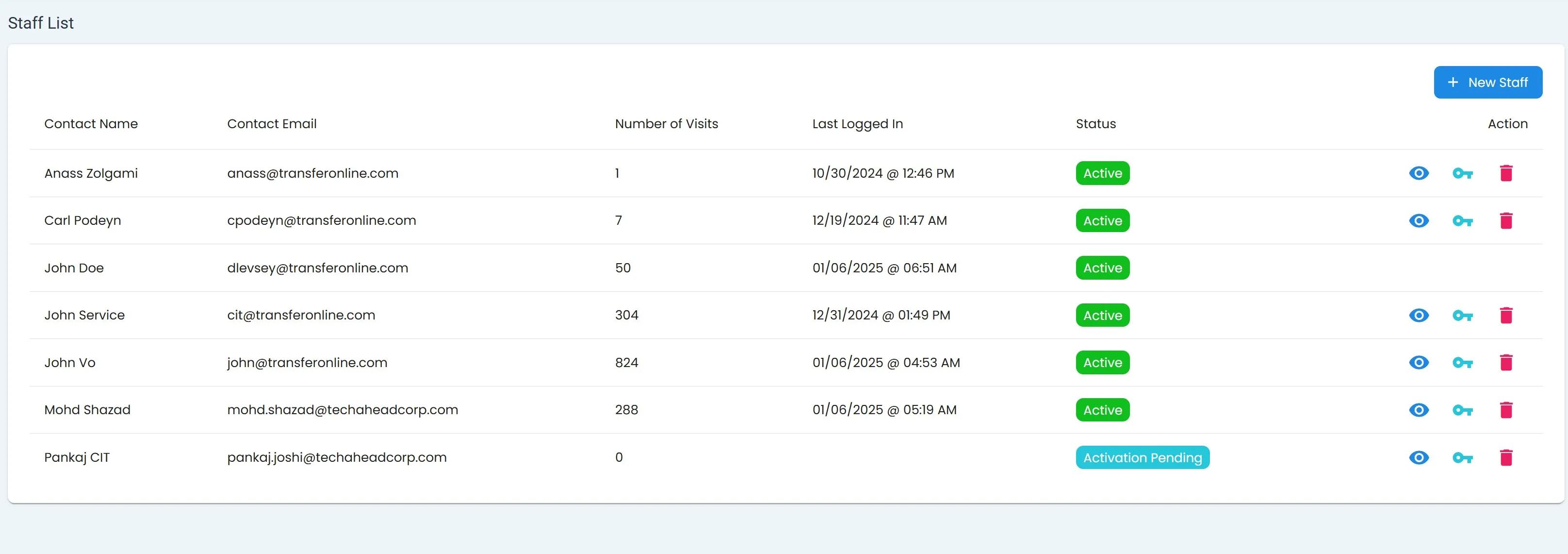
Staff Homepage#
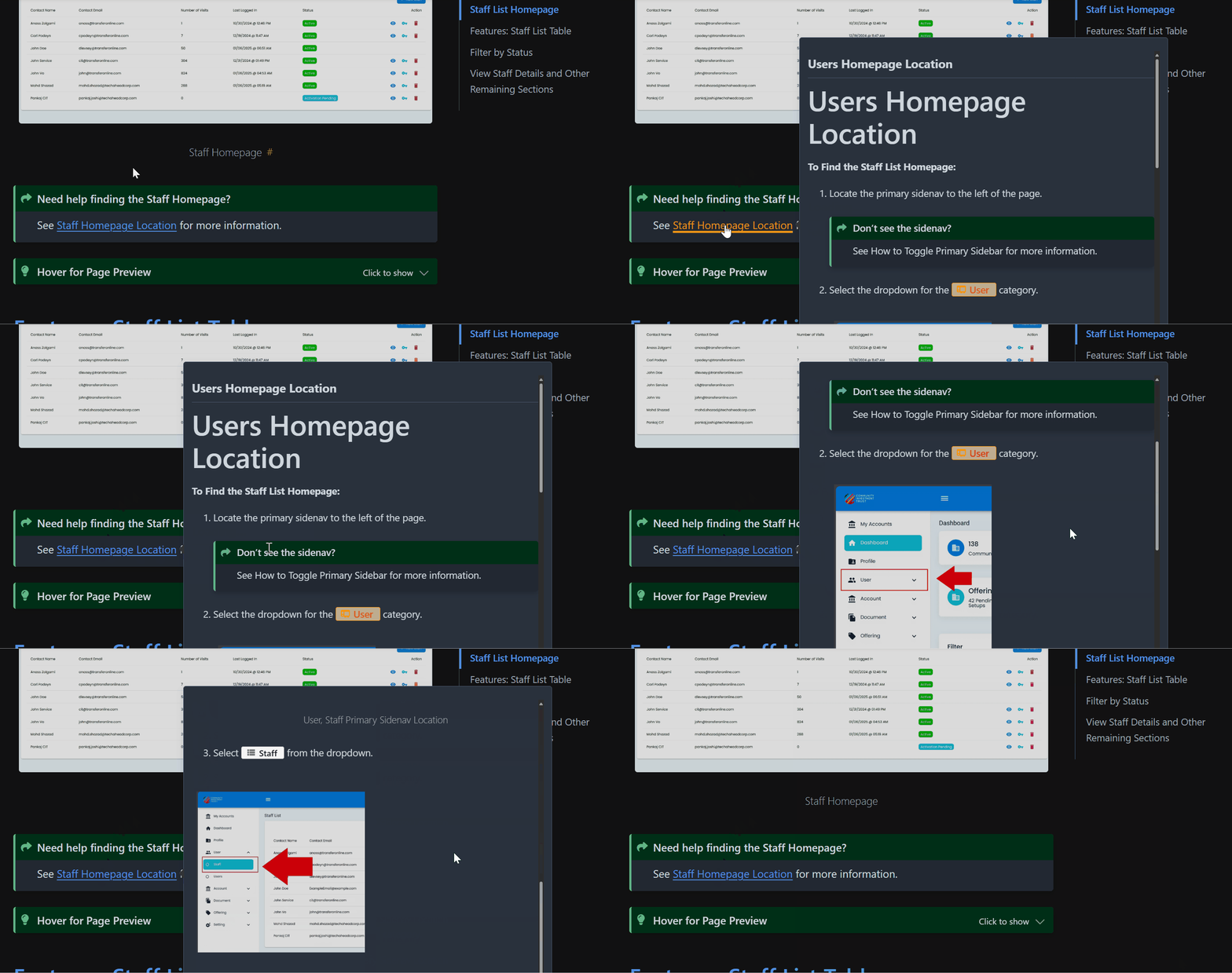
Need help finding the Staff Homepage?
See Staff Homepage Location for more information.
Hover for Page Preview
Hover over the links for a page preview.
 _
_
Features: Staff List Table#
The table Table: Staff List table includes important information about each Item: Staff that exists within the Item: CIT Corporation (see: How to Identify the Current Account section).
These details include details related to or including:
Item: Contact Information, or
Item: Status.
Additionally, you can perform these actions directly from the table:
Item: Three Actions (i.e., View User Details, Edit User Details, and Delete User)
Columns: Staff List Table#
The Column: Columns for the Table: Staff List table can be found at the top of the table:
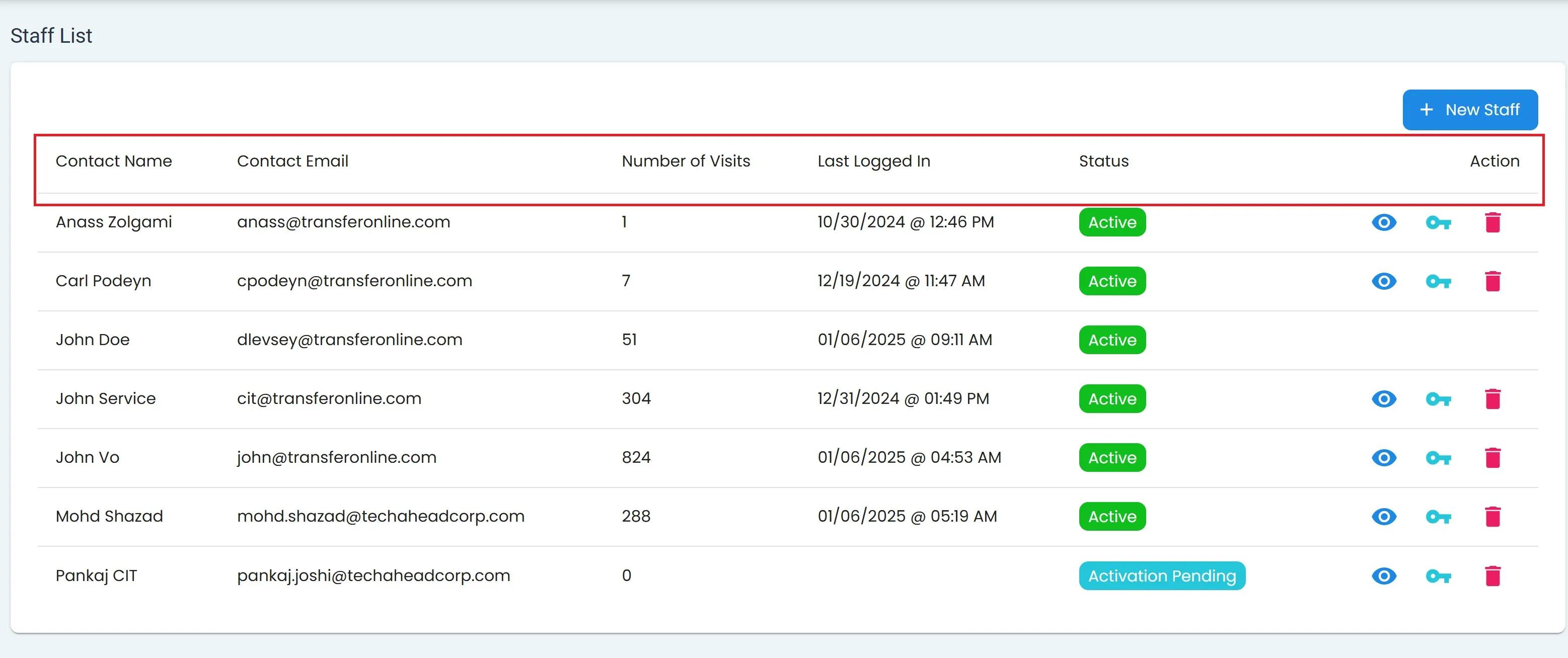
Users, Staff Homepage, Columns#
These Column: Columns include:
Column: Contact Name – Name associated
Column: Contact Email – Email address for the contact.
Column: Number of Visits – Total times user accessed the system.
Column: Last Logged In – Most recent date user logged in.
Column: Status – Current
Column: Action – Different actions that can be performed
Filter by Status#
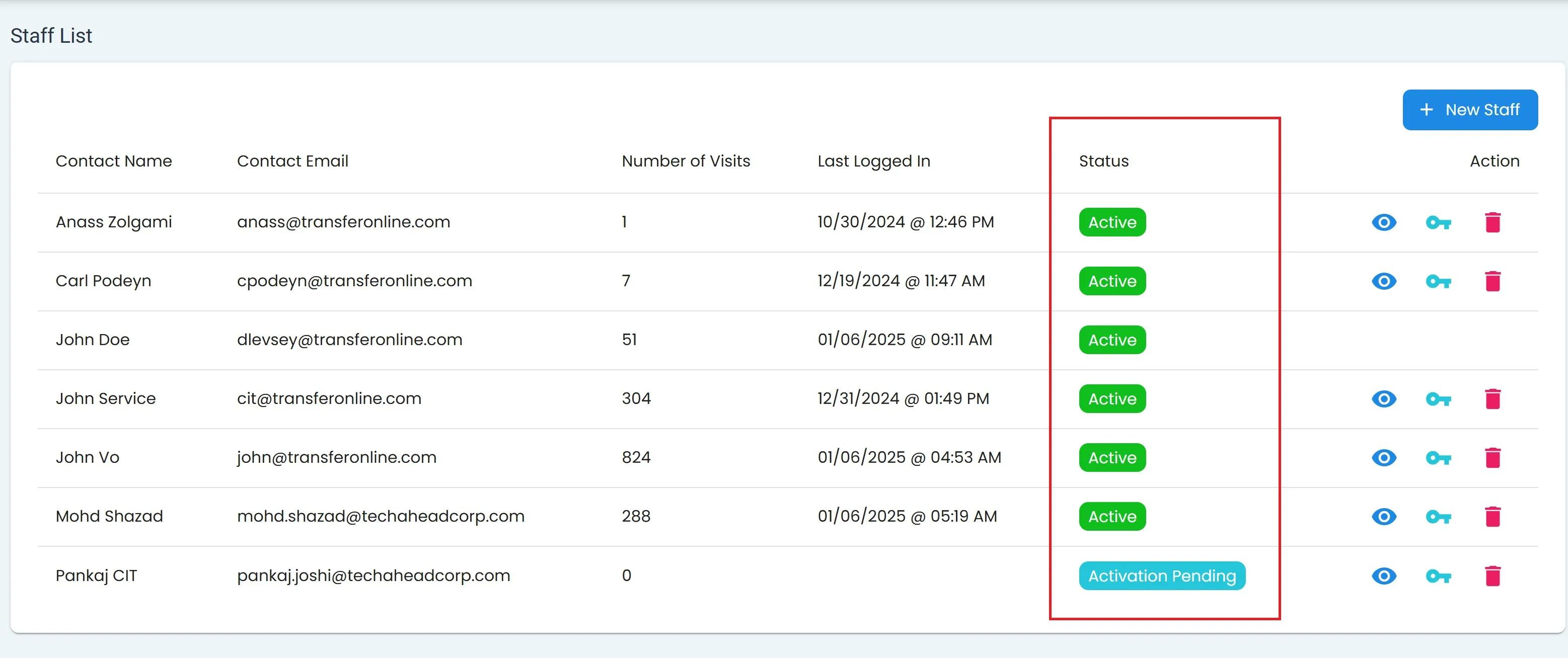
The Column: Status column indicates the current status of the account.
Possible Option: Status options include:
Item: All
Green Option: Active
Cyan Option: Pending Activation
Item: Inactive
Reference to Locked Out itemLocked Out
View Staff Details and Other Remaining Sections#
The remaining sections are universally shared throughout the app.
These sections include: